Docs Menu
Saved Reports and Templates
Generate repeatable reports from completed saved runs. Reuse a saved configuration or pin a private DOCX template version.
Generate a report
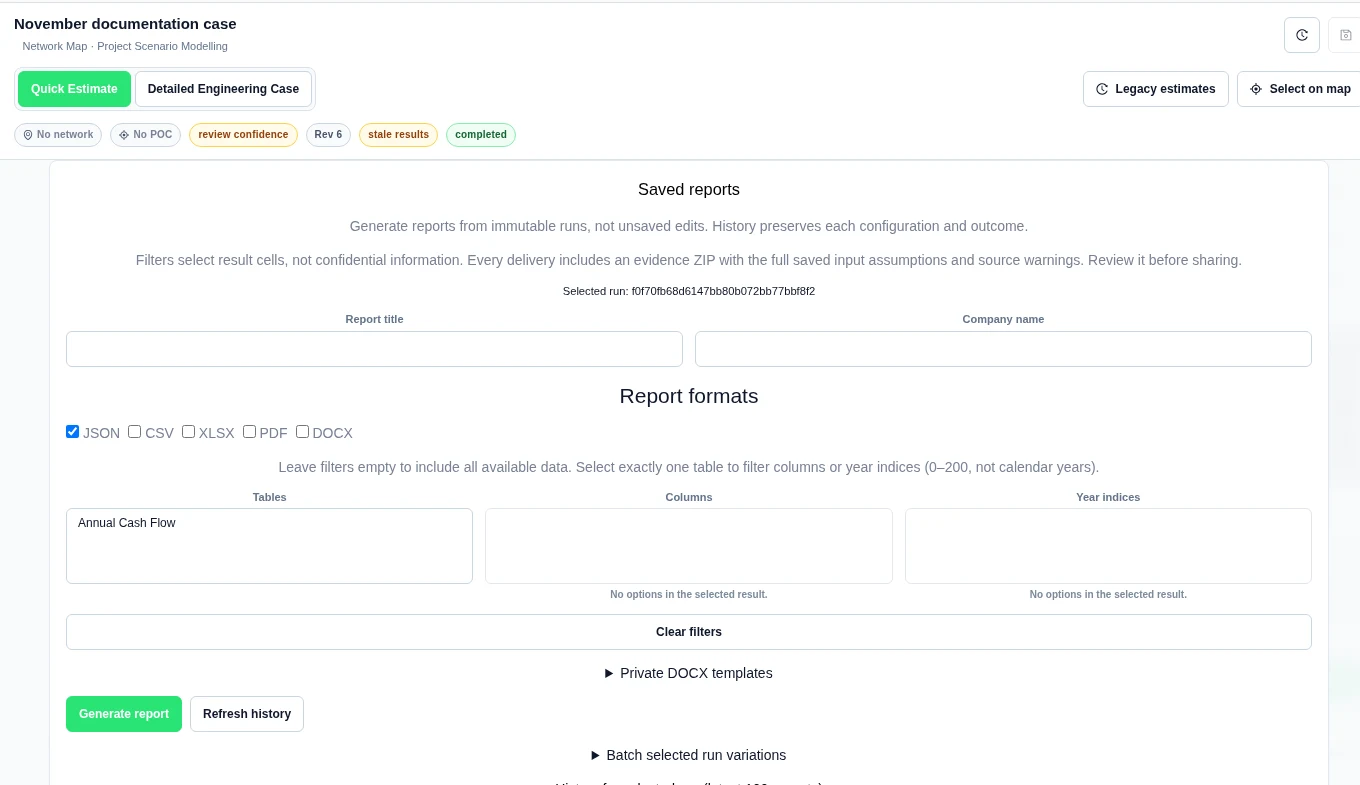
- Save and run a case. Open Project Modelling → Results → Report.
- Under Saved reports, check Selected run. Unsaved changes are not report inputs.
- Enter Report title and, if needed, Company name.
- Choose Report formats: JSON, CSV, XLSX, PDF or DOCX. DOCX requires a selected immutable template version.
- Leave filters empty for all available data. To filter Columns or Year indices, first select exactly one entry in Tables.
- Select Generate report. Review its status in History for selected run.
Preview and download
- In the completed history entry, choose Preview beside a supported artifact.
- Read the preview in the browser. Use Close preview when finished.
- Select the artifact’s Download button for the file. A Download only label means there is no inline preview.
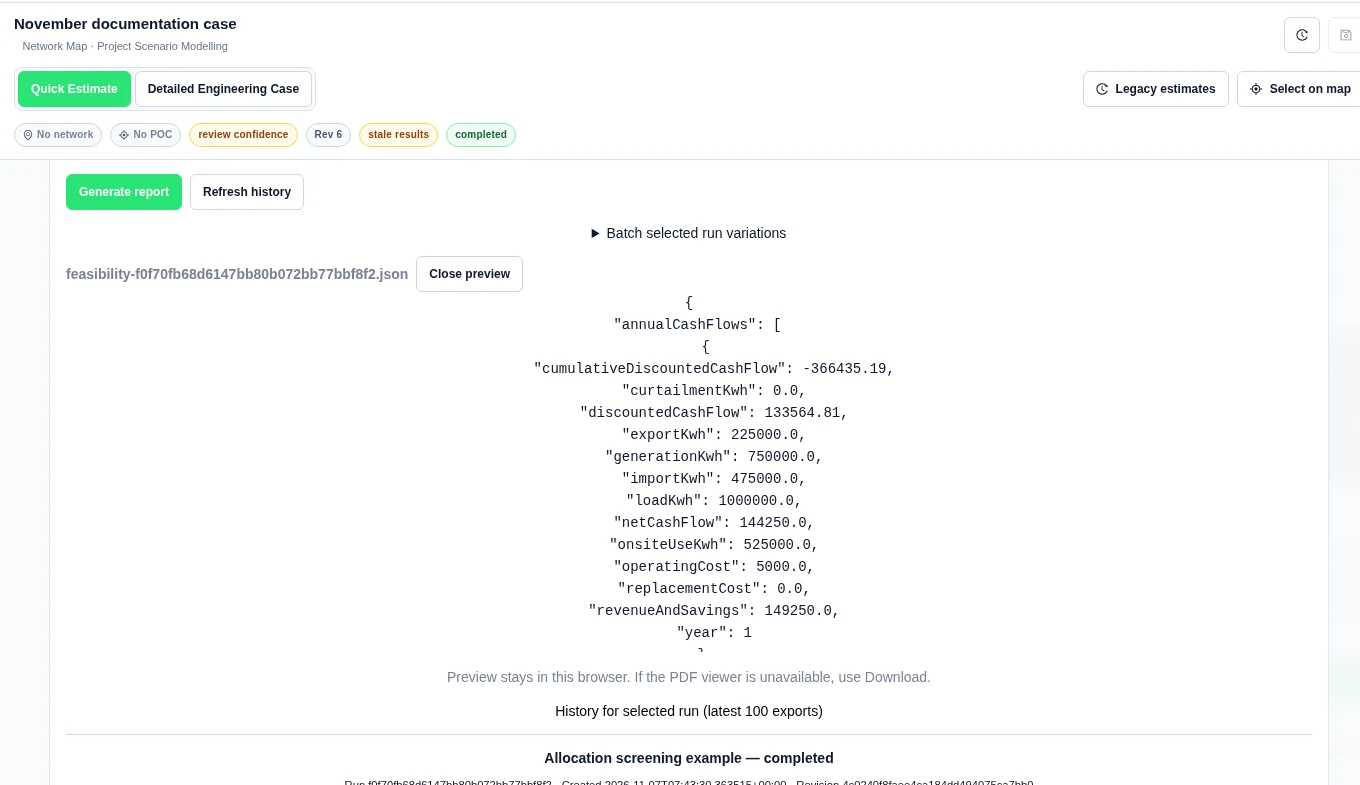
Preview support depends on file type and size. ZIP and DOCX artifacts are download-only. If the browser cannot display a PDF, use its download button. A preview is not a separate saved report.
Reuse or regenerate a saved configuration
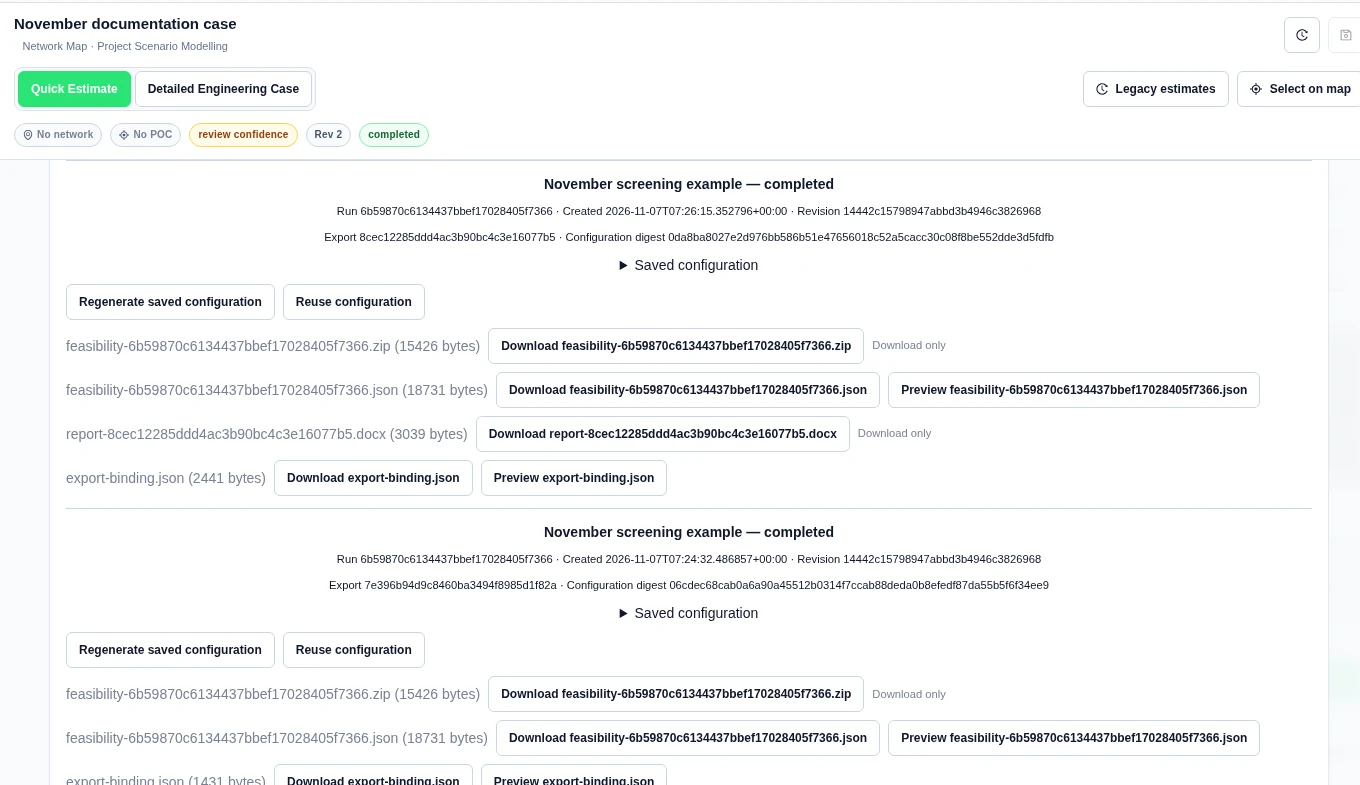
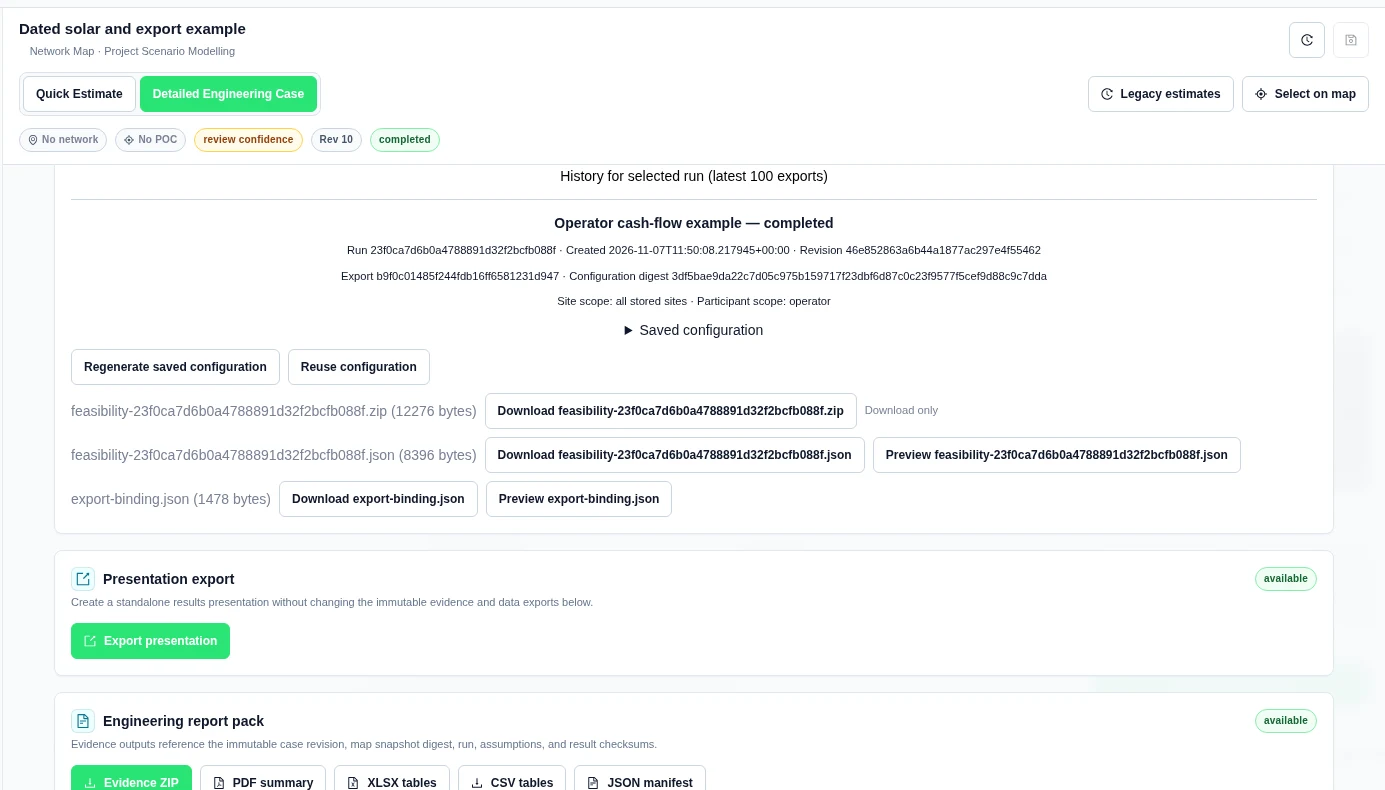
- Open the required entry in History for selected run.
- Read Saved configuration and the run, revision and configuration digest.
- Select Reuse configuration to put the saved settings back into the form. Review them before generating.
- Select Regenerate saved configuration to create another export from the saved configuration.
- Use Refresh history to reload outcomes. The history view lists the latest 100 exports for the selected run.
Upload a private DOCX template
- Create a DOCX file with literal placeholders from the list below.
- Expand Private DOCX templates. Enter Template name and choose DOCX template file.
- Select Upload new template.
- Choose the exact Template and Template version. Review its SHA-256 and detected placeholders.
- Select DOCX in Report formats, then Generate report.
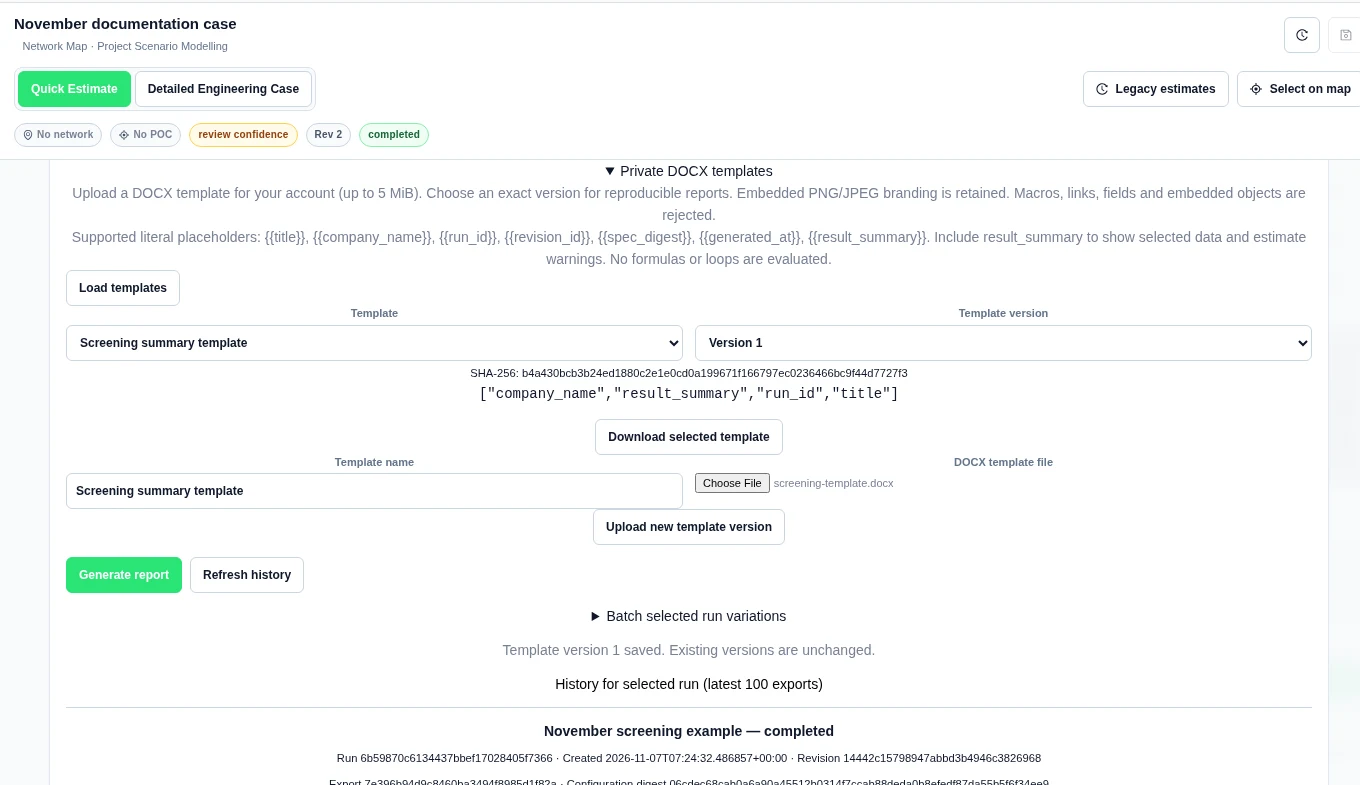
Supported placeholders are {{title}}, {{company_name}}, {{run_id}}, {{revision_id}}, {{spec_digest}}, {{generated_at}} and {{result_summary}}. Include {{result_summary}} to show selected data and estimate warnings. No formulas or loops are evaluated.
The upload limit is 5 MiB. Embedded PNG/JPEG branding is retained. Macros, links, fields and embedded objects are rejected. Templates are private to your account.
For later use, select Load templates. To revise a selected template, choose another file and select Upload new template version. Existing versions stay unchanged. Download selected template retrieves the pinned source file.
Worked example: a saved screening report
We generated November screening example from saved run 6b59870c6134437bbef17028405f7366. It used a modelled 20-year quick solar screening case in AUD. Its first-year saved values included revenue and savings 149,250 AUD, operating cost 5,000 AUD and net cash flow 144,250 AUD.
The JSON export completed with an 18,731-byte JSON file, a 15,426-byte evidence ZIP and an export-binding.json file. We uploaded Screening summary template version 1 with these four placeholders:
{{title}}
{{company_name}}
Run {{run_id}}
{{result_summary}}
Generating with that version added a 3,039-byte DOCX artifact. Reuse and regeneration kept the saved run and configuration references. These sizes describe this example only; report sizes vary with the inputs and selected formats.
Export a site or participant allocation
- Under Site, participant and calendar-year scope, select Load financial scope.
- Select the required Sites or Participants. These come from the saved run’s allocation, not the current draft.
- Review Scoped cashflows and any column or model-year filters. Select Generate report.
- Check the site and participant scope in the completed history entry.
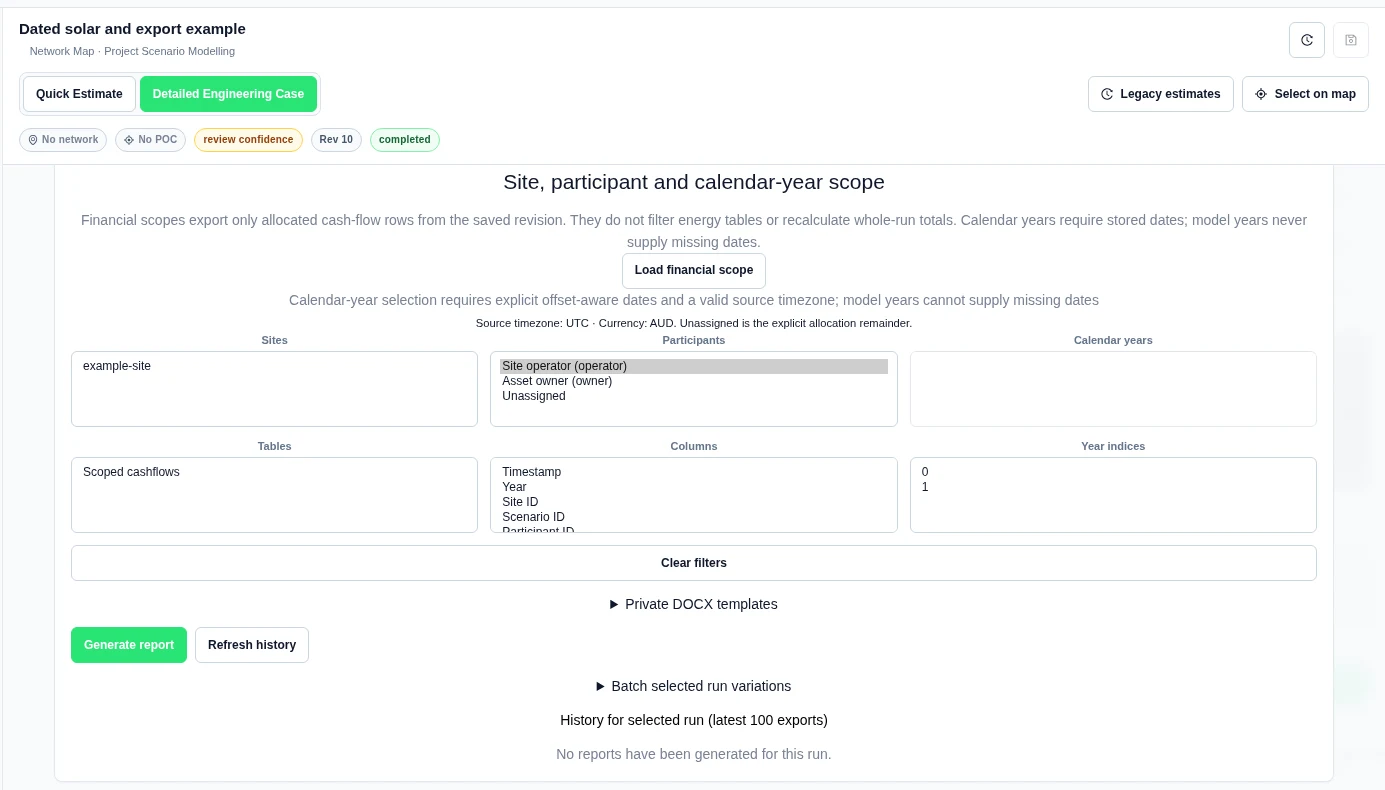
In our one-year example, selecting operator produced a completed JSON report of 8,396 bytes. Its history states Participant scope: operator. The file size is specific to this example.
Batch reports by allocation
- Expand Batch selected run variations and select Load saved runs.
- Select completed runs from the current case. Each run stays separate.
- Select Separate report per stored site or Separate report per allocated participant as needed. Clear unrelated table and column filters. Current site and participant filters narrow the split.
- Optionally select a template version and choose Add selected template to batch.
- Select Generate selected runs. Check each outcome, not just the batch message.
Our example selected one saved run and the participant split. It produced three completed reports: operator, owner and Unassigned. The last record preserves the source reconciliation remainder; it is not another participant’s income.
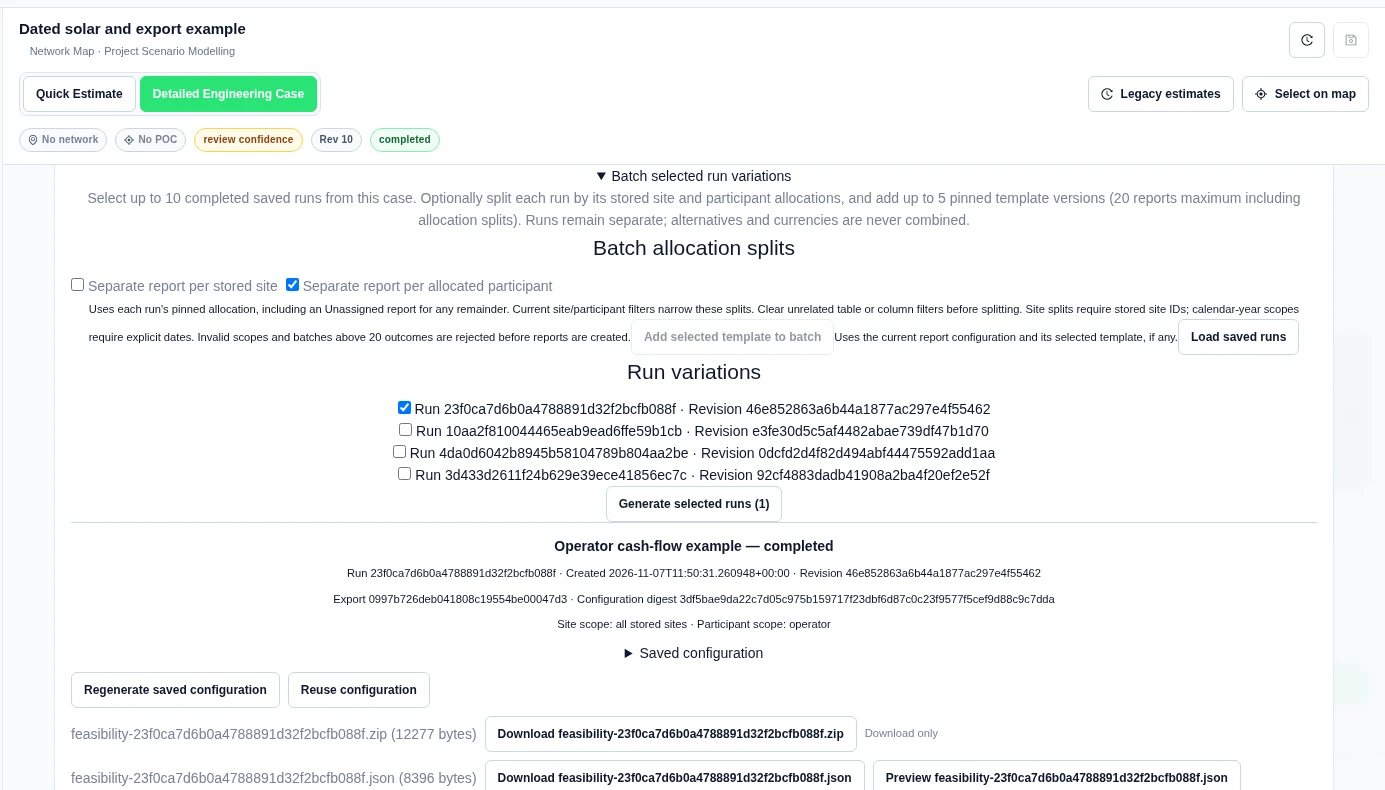
A batch accepts up to 10 completed runs and up to 5 pinned template versions, with at most 20 report outcomes including allocation splits. Invalid scopes and larger batches are rejected before report creation. Different runs and currencies are never combined.
Before sharing
- Check that the report uses the intended run and revision.
- Read engineering status, missing values and source warnings.
- Keep the report’s modelled scope and engineering status with its conclusions.
- Inspect all attachments, especially the full-assumptions evidence ZIP.
Export energy across model years
- Open Results → Report → Saved reports for the completed run.
- Set Scoped data to Annual energy (all model years and variations). Select Load financial scope.
- Choose Energy variations. Select Annual model energy in Tables, then choose Year indices and Columns. Empty filters include all available rows.
- Choose the format and select Generate report. Check the saved configuration, then preview or download the artifact.
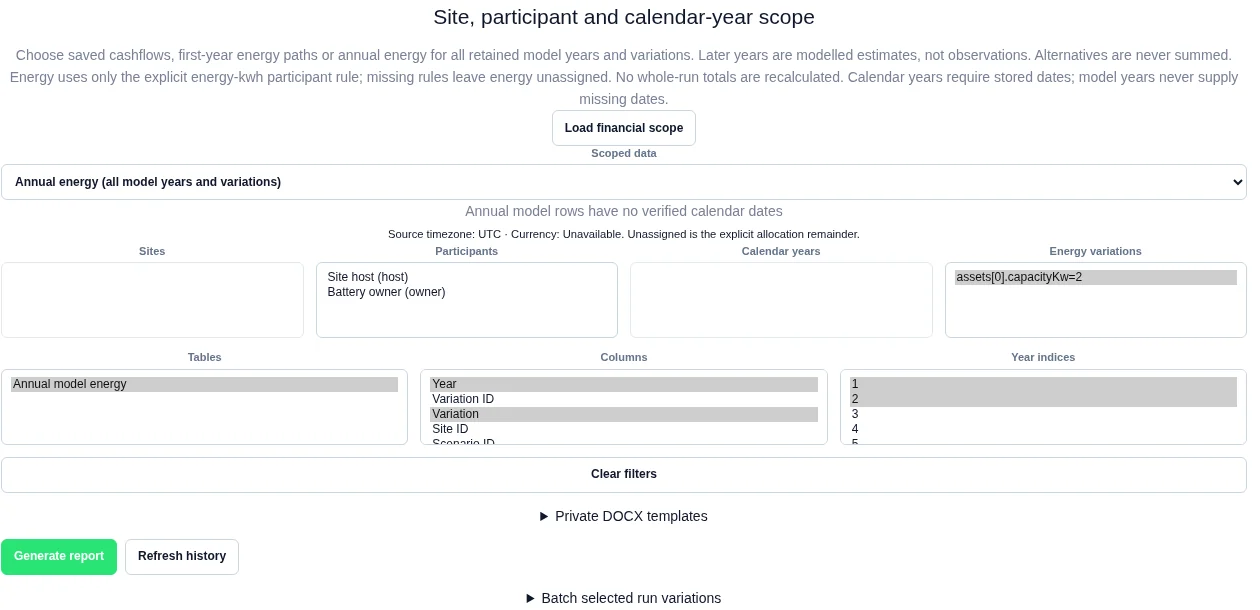
Worked example: six selected rows from a ten-year case
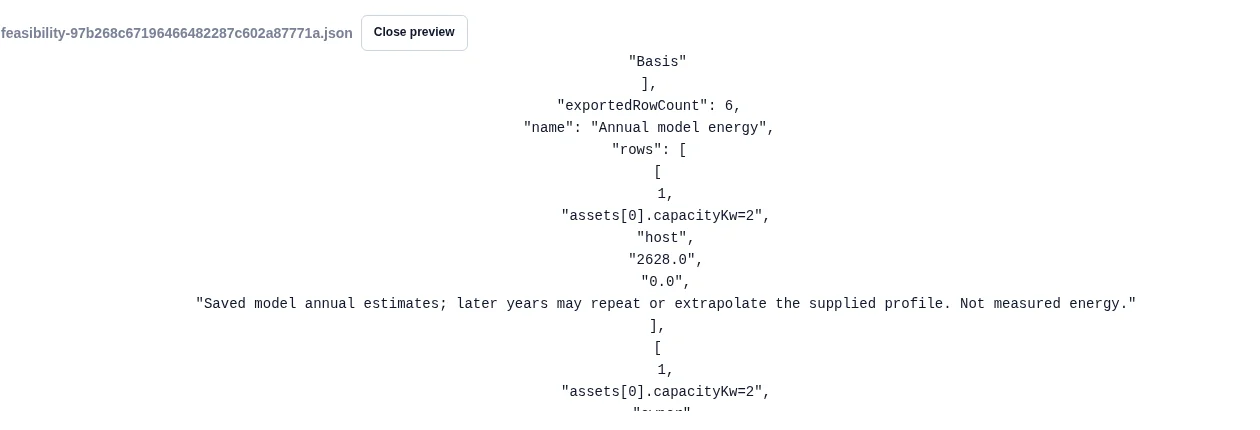
We exported the saved joint-dispatch run 97b268c67196466482287c602a87771a. It retained one variation, assets[0].capacityKw=2, and ten model years. We selected years 1, 2 and 10, with Year, Variation, Participant ID, Generation (kWh), Export (kWh) and Basis columns.
The JSON report completed at 3,792 bytes. It exported 6 rows from 20 available participant-year rows. The saved energy-kwh shares were 60% for the site host and 40% for the battery owner:
| Model year | Host generation (kWh) | Owner generation (kWh) |
|---|---|---|
| 1 | 2,628 | 1,752 |
| 2 | 2,628 | 1,752 |
| 10 | 2,628 | 1,752 |
Each year reconciles to the saved 4,380 kWh generation estimate. Every row retained: “Saved model annual estimates; later years may repeat or extrapolate the supplied profile. Not measured energy.” Repeated values are not evidence of future physical delivery.