

Docs Menu
Site Selection and Data Centers
Power decides where data centers, renewable projects and large loads can go. This guide walks through a site screening workflow on Network Map, from a long list of candidate areas to a shortlist ready for engineering and connection work.
Watch the Video: Using Spatial Tools (0:43)
The Questions to Answer
- Where is high-voltage transmission near candidate land?
- Which substations are closest, at what voltage, and owned by which network business?
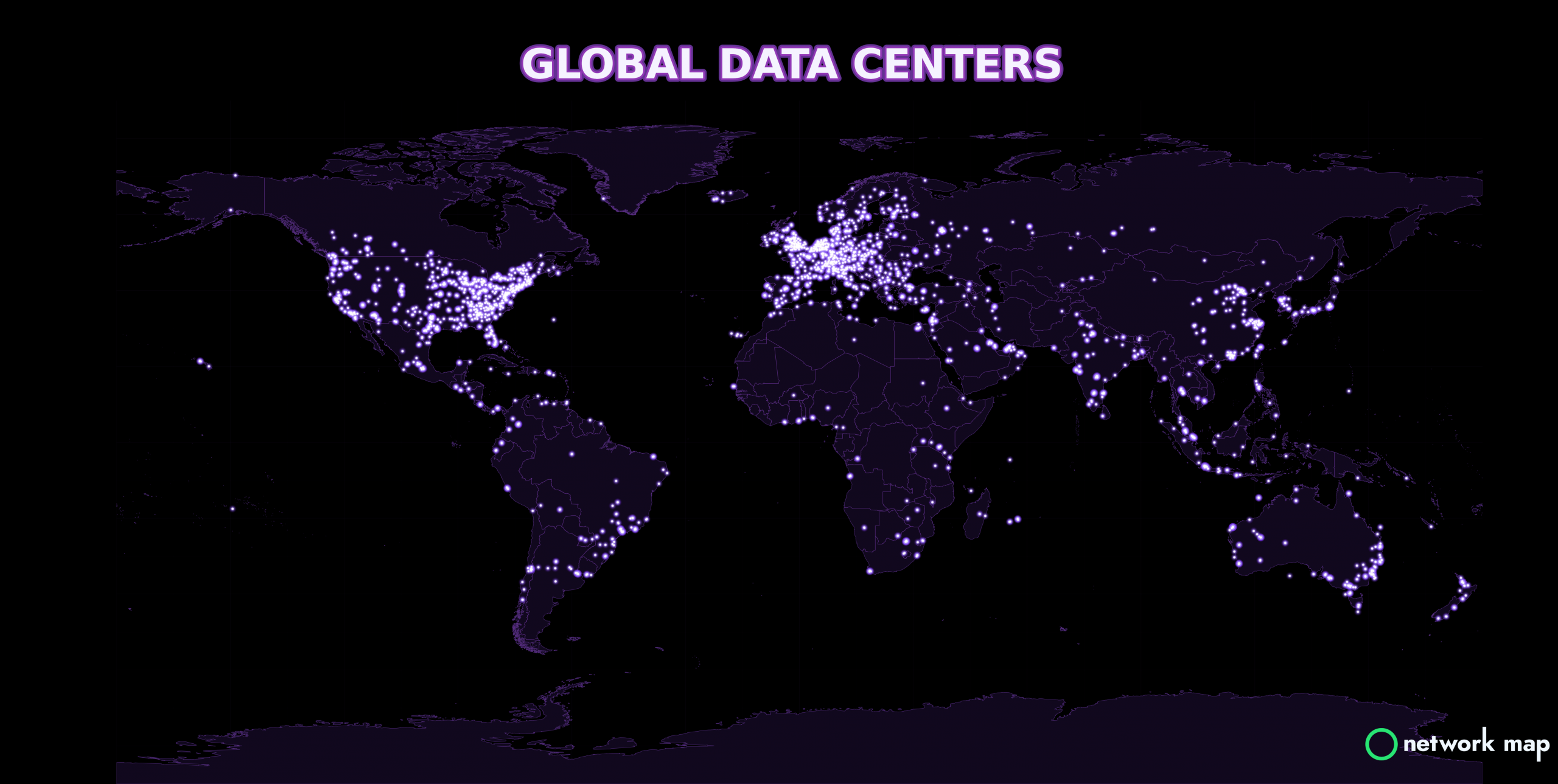
- Where are existing data center clusters?
- What generation, including renewables, is nearby for supply and power purchase agreements?
- What do the terrain, land, water, gas and telecommunications networks look like around the site?
- How do wholesale prices and demand compare between candidate markets?
Layers to Use
| Layer | Why it matters | Plan |
|---|---|---|
| Data Centers | Existing data centers worldwide, to find clusters and neighbours | Analyst |
| Transmission lines and substations | Voltage and distance to the nearest high-voltage assets, by network business | Analyst |
| Power stations and renewable projects | Nearby supply, by energy source, for supply and PPA screening | Analyst |
| Gas, water and telecommunications | Cooling water, gas supply and fibre on the same map, where available | Analyst |
| Terrain and satellite basemaps | Slope, landform and land use around the site | Analyst |
| Network Map Markets | Prices, demand and generation mix in 15 electricity markets | Pro |
Step 1: Build a Long List
- Search a metro area or region in Smart Spatial Search.
- Switch on the Data Centers layer and the transmission lines and substations for the area. Right-click the map to use Nearby Layers, or use the Network Filter in the sidebar.
- Switch to a satellite or CARTO Dark Matter basemap so the network stands out, and look for corridors where high-voltage lines and substations run near open or industrial land.
Step 2: Measure Distance to the Grid
- Load the substation layer's details (tick Load detailed layer, or switch on Autoload Details).
- Choose Nearest Neighbour Pro and click a candidate site to see the ten nearest substations with distances.
- Choose Measure Distance to measure to the nearest suitable line.
- Click a substation or line to check its voltage, owner and other attributes in Reporting Data Tables and Charts below the map.
- Use Voronoi Diagram Pro to see which substation's catchment each site falls in.
Step 3: Check the Site Itself
- Use Measure Area or Measure Polygon to check the usable land area.
- Switch to ESRI Terrain, OpenTopoMap or photorealistic 3D to read slope and landform.
- Use Street View to look at the access road, nearby lines and substations.
- Use Land Parcel Analyst to see parcel details where parcel data is available.
- Check NASA FIRMS for fire activity and ESRI Ocean for coastal sites.
- Switch on water, gas and telecommunications layers where they are available for the country.
Step 4: Compare Markets
In Network Map Markets Pro, compare wholesale prices, demand and generation mix between candidate markets. In the US, US Aggregate compares ISO/RTO demand, generation and reference prices side by side, and the Nodal Price Map shows prices at individual nodes. Choose Add to Map on a dispatch overview to see market conditions on the map next to your sites. See the Network Map Markets Guide.
Step 5: Shortlist and Hand Off
- Upload your candidate sites as a custom layer (SHP, GeoJSON or KML) so the whole team sees them against the network. See Upload Custom Layers.
- Choose a Current Project so your work carries into Project Modelling and Engineering Studies Pro.
- Export asset tables as CSV Pro or the network around a site as PSS®E Pro for connection studies, or take a map screenshot for a report.
- Run a Connection Study or Hosting Capacity study in Engineering Studies to test the shortlisted connection points. See Single-Line Diagrams and Engineering.
Renewable and Storage Projects
The same workflow works for solar, wind and battery projects. Add the renewable projects and power stations layers to see the existing and proposed pipeline nearby; for rooftop and building-scale solar, use Building-Level Solar Analysis. In the wholesale electricity market, check the Constraints dashboard in Markets for transmission constraints that bind near your site; see Grid Constraint Methodology.