

Docs Menu
Participant Allocation
Split signed case cash flows between parties at a site. Keep the remainder visible as unassigned.
Define parties and shares
- Open Project Modelling → Value → Participant value allocation.
- Enter Site ID and Scenario ID.
- Select Add participant. Enter the participant ID, name and role.
- Enter percentages in Value allocation percentages for capital, revenue, operating and replacement streams.
- Check Unassigned (%). Select Apply allocation to case.
- Select Save case revision, then run the case again.
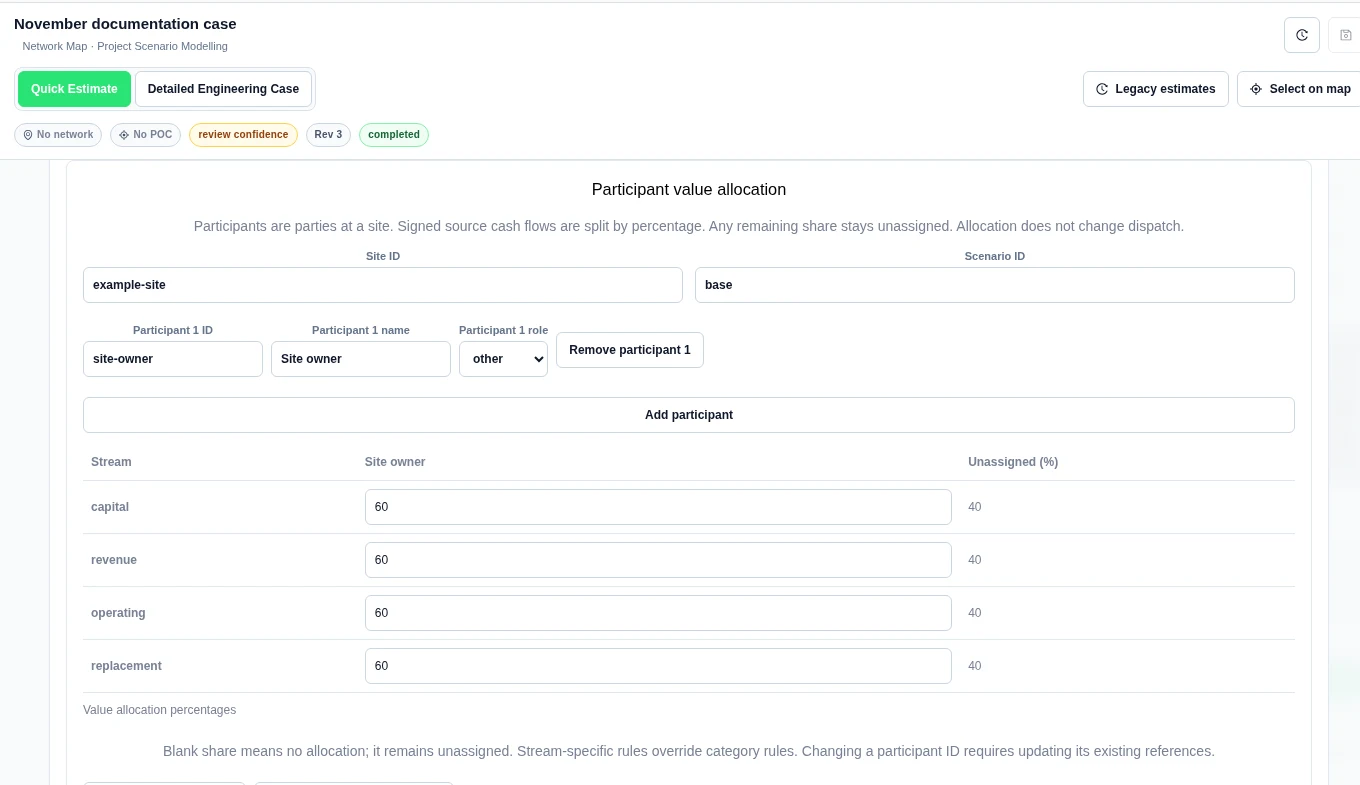
A blank share means no allocation. It does not claim ownership of the remainder. Stream-specific rules override category rules. If you change a participant ID, update its existing references. The editor supports up to 50 parties.
Read the saved allocation
- After the run completes, return to Participant value allocation.
- Select Load saved participant results.
- Check the saved run, revision, site, scenario and currency.
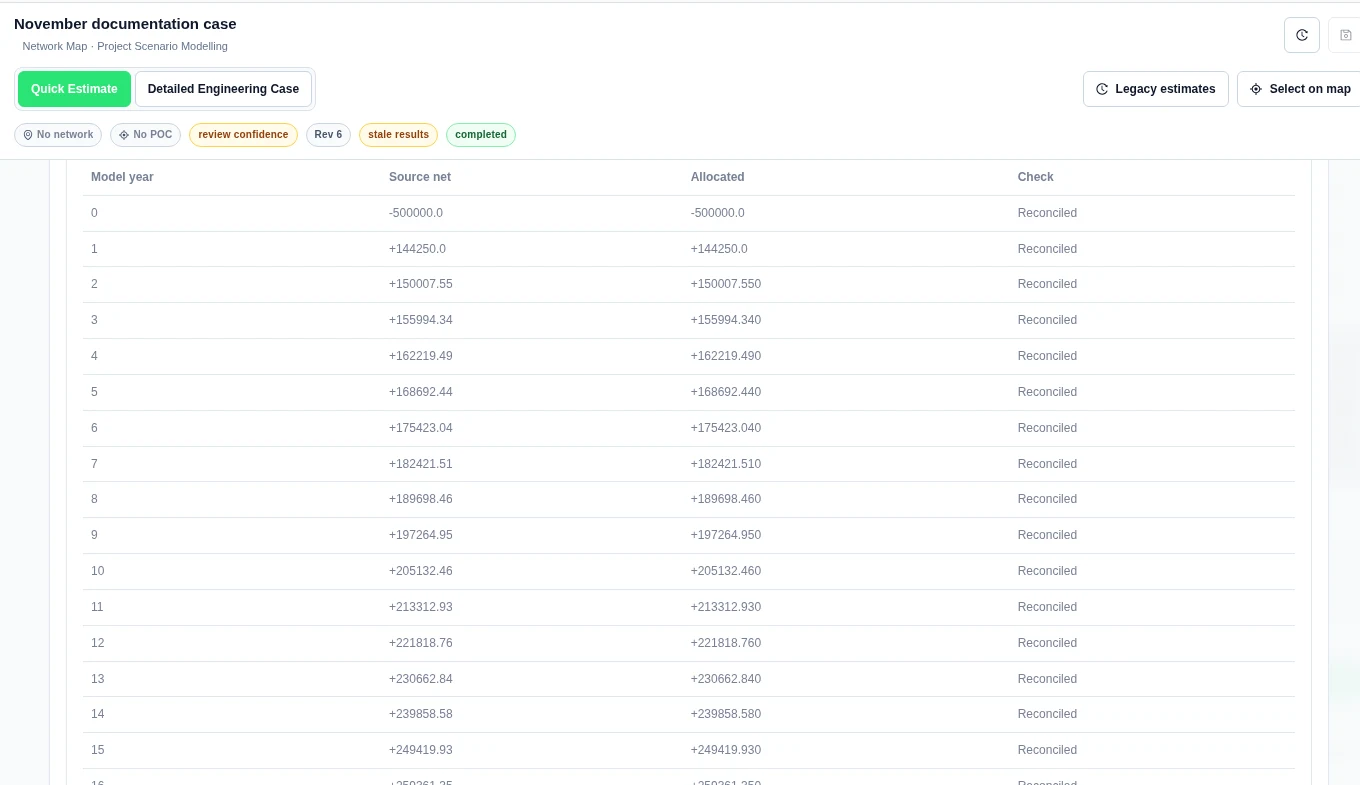
- Read Saved annual reconciliation (all participants, including unassigned).
- Use Participant filter, Value stream filter and Model year filter to inspect the ledger. These are local table filters.
Worked example: a 60% share
We set site example-site, scenario base and participant site-owner, named Site owner. The share was 60% for each core stream. After applying, saving and running, the product returned:
| Signed source stream (AUD) | Source | site-owner, 60% | Unassigned, 40% |
|---|---|---|---|
| Initial capital, year 0 | −500,000 | −300,000 | −200,000 |
| Revenue and savings, year 1 | 149,250 | 89,550 | 59,700 |
| Operating cost, year 1 | −5,000 | −3,000 | −2,000 |
| Replacement / end-of-life, year 1 | 0 | 0 | 0 |
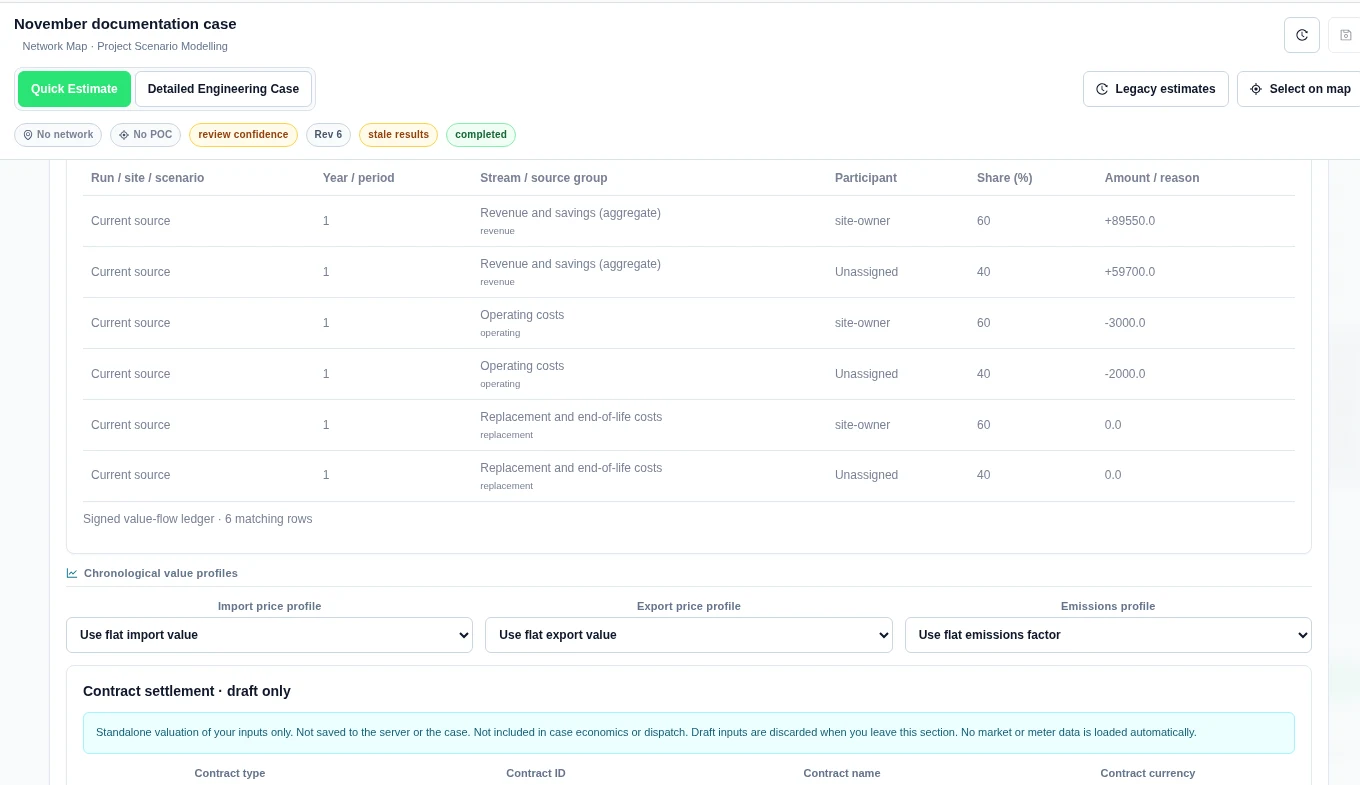
The year-one source net and allocated total were both 144,250 AUD. All 21 model years, including year 0, showed Reconciled. The full ledger had 130 rows. These values came from the saved Quick Estimate example case.
Source groups are not guaranteed unique tariff IDs. Operating and replacement costs can be aggregate values. Keep any separate source-reconciliation remainder visible; do not silently distribute it as a new revenue stream. Signed amounts retain source decimal precision.
Keep scope clear
These results are a split of the case’s existing economics. They are not a participant-specific dispatch optimisation, ownership contract or invoice. A share does not change the engineering result. After any allocation change, save and re-run before presenting new saved participant results.
Read returns for one party or site
After Load saved participant results, use Result site filter, Variation filter and Participant filter. Read Participant lifetime returns. Each variation stays separate. A missing IRR stays unavailable and has a reason.
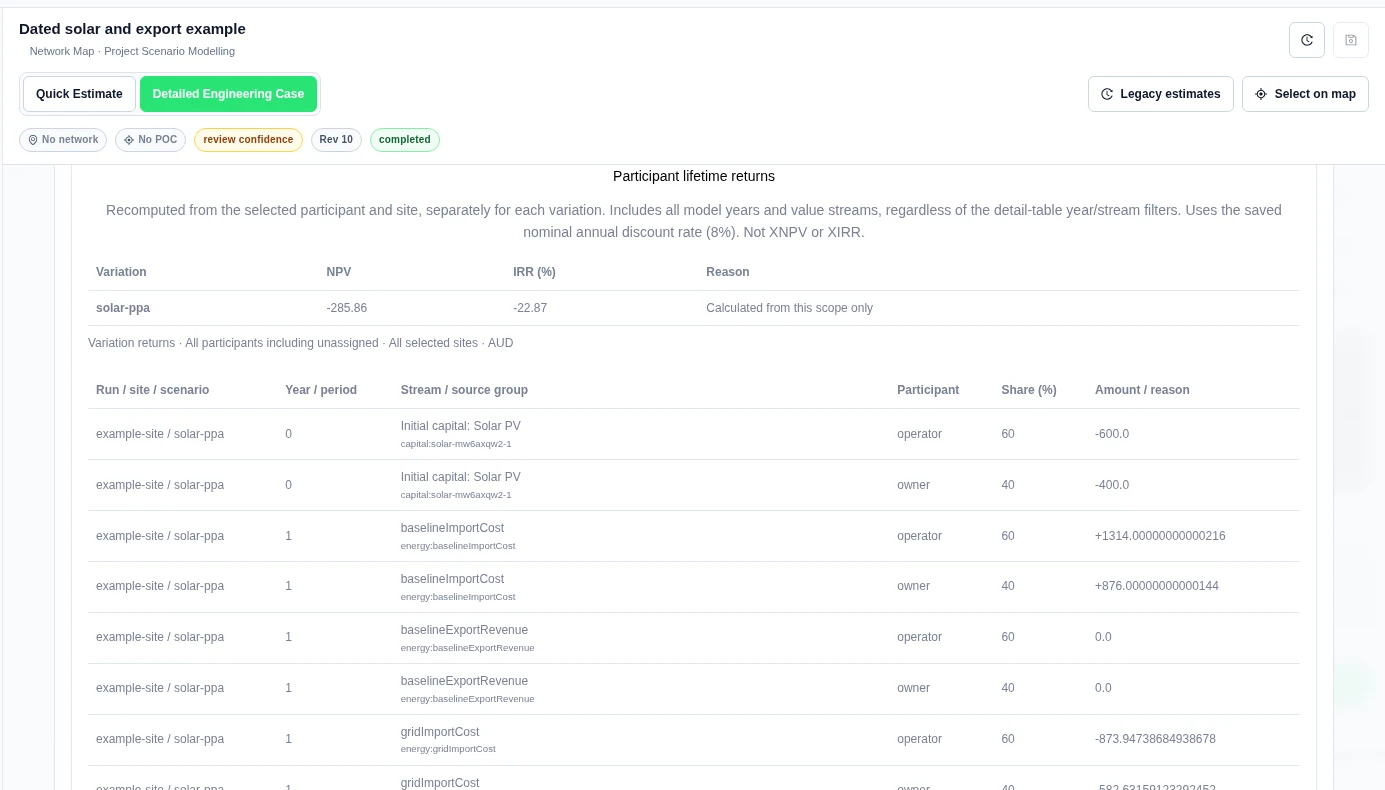
The returns use all model years and value streams for the selected participant and site. Model year filter and Value stream filter change the detail ledger, not the lifetime return calculation. The saved nominal annual discount rate is used. These are not XNPV or XIRR.
Worked example: 60% of a one-year case
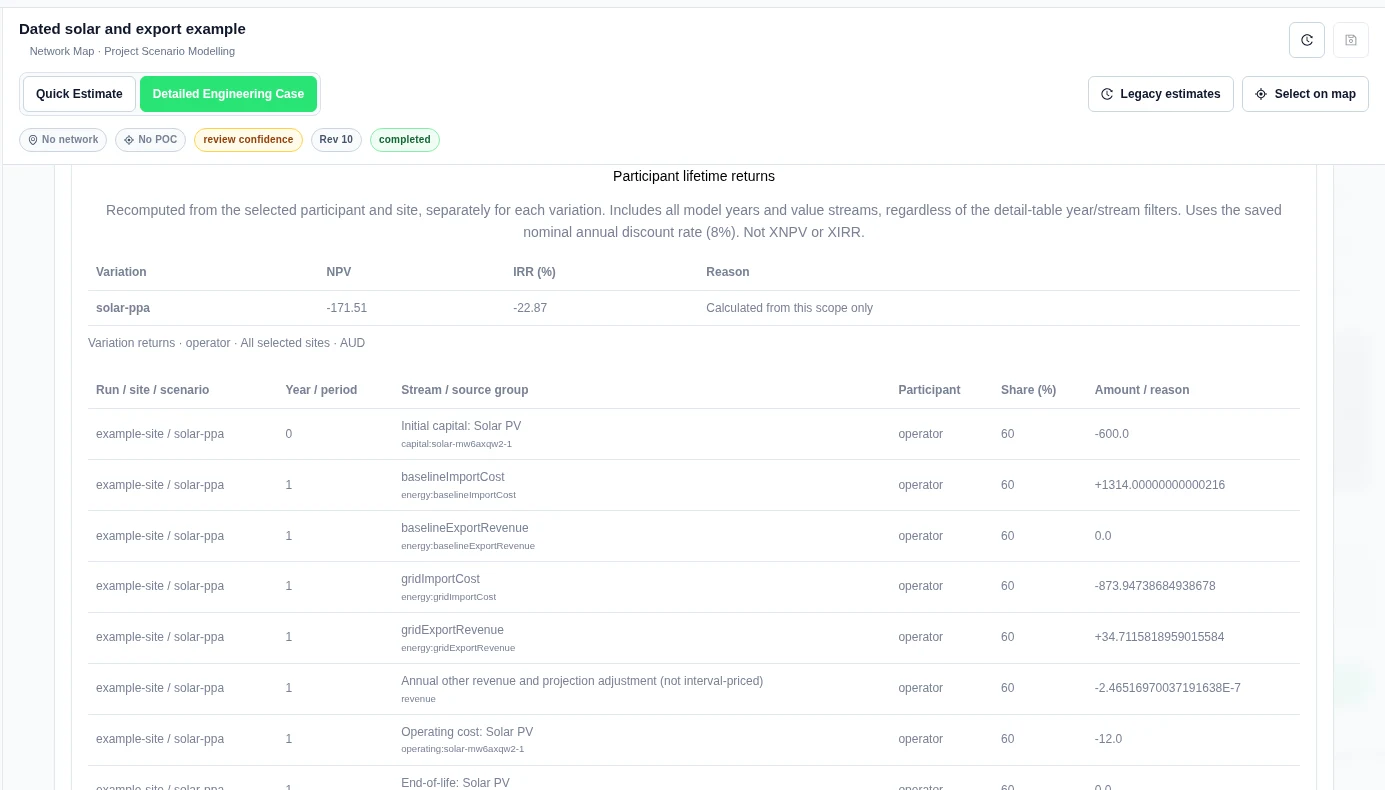
In a separate synthetic one-year case, we assigned every core category 60% to operator and 40% to owner. The case had 1,000 AUD initial capital, 791.27 AUD year-one revenue and savings, 20 AUD operating cost and an 8% discount rate. The full case showed NPV −285.86 AUD and IRR −22.87%.
With Participant filter set to operator, the product showed NPV −171.51 AUD and IRR −22.87%. Capital in that party’s ledger was −600 AUD. These are modelled allocations.
Compare a portfolio and allocate contract legs
Two more sections are under Value & Finance:
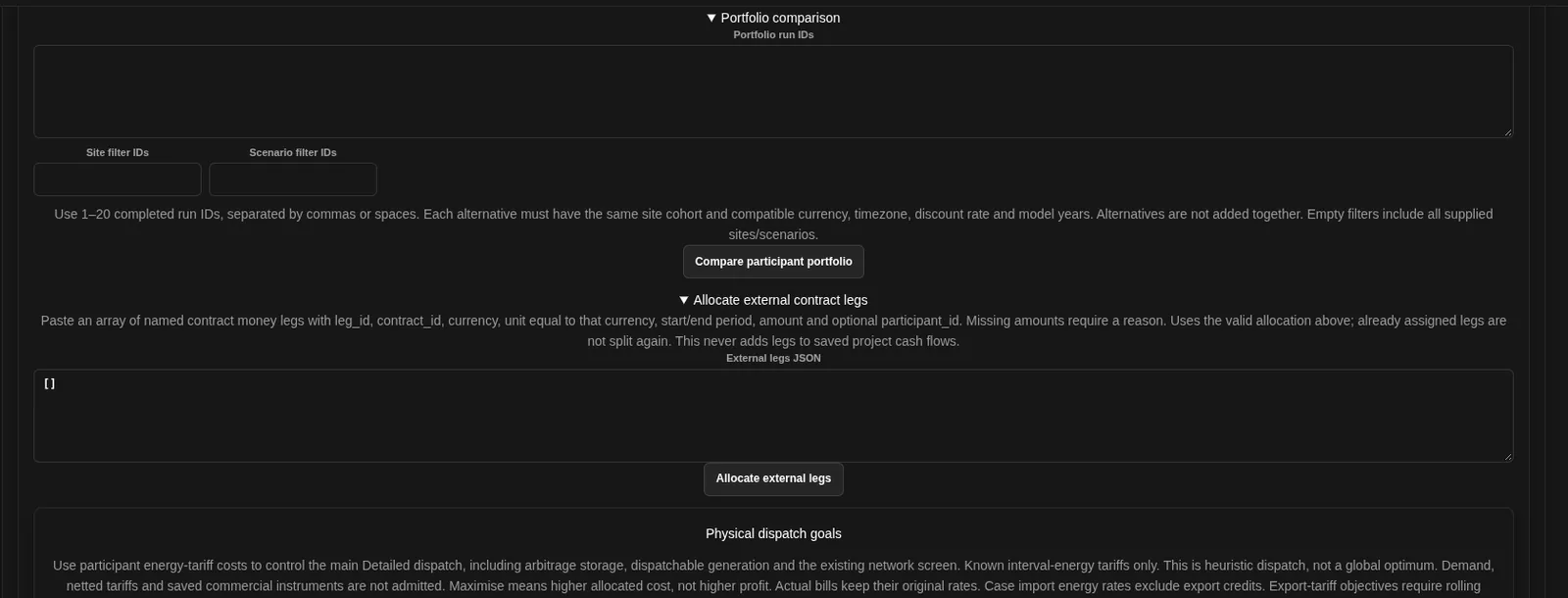
- Portfolio comparison: enter 1 to 20 completed run IDs, with optional site and scenario filters, and choose Compare participant portfolio. Each alternative must have the same site cohort and compatible currency, timezone, discount rate and model years. Alternatives are not added together.
- Allocate external contract legs: paste named contract money legs as JSON and choose Allocate external legs. It uses the valid allocation above. It never adds legs to saved project cash flows.
Keep money shares and dispatch goals separate
The ordinary allocation above splits existing results. To change physical dispatch, use Value → Physical dispatch goals, save the case and run Detailed mode. A case-energy goal uses allocated import-energy costs. Leave Storage charging value blank to use the import rate. Read the worked dispatch example and limits before using a goal.
Assign measured money explicitly
The measured: rows are separate from modelled revenue and energy allocation. Enter participant shares for the required stream. In Measured money asset allocation, add the same stream and exact saved asset IDs. Select Apply allocation to case, save, and complete a new Detailed run.
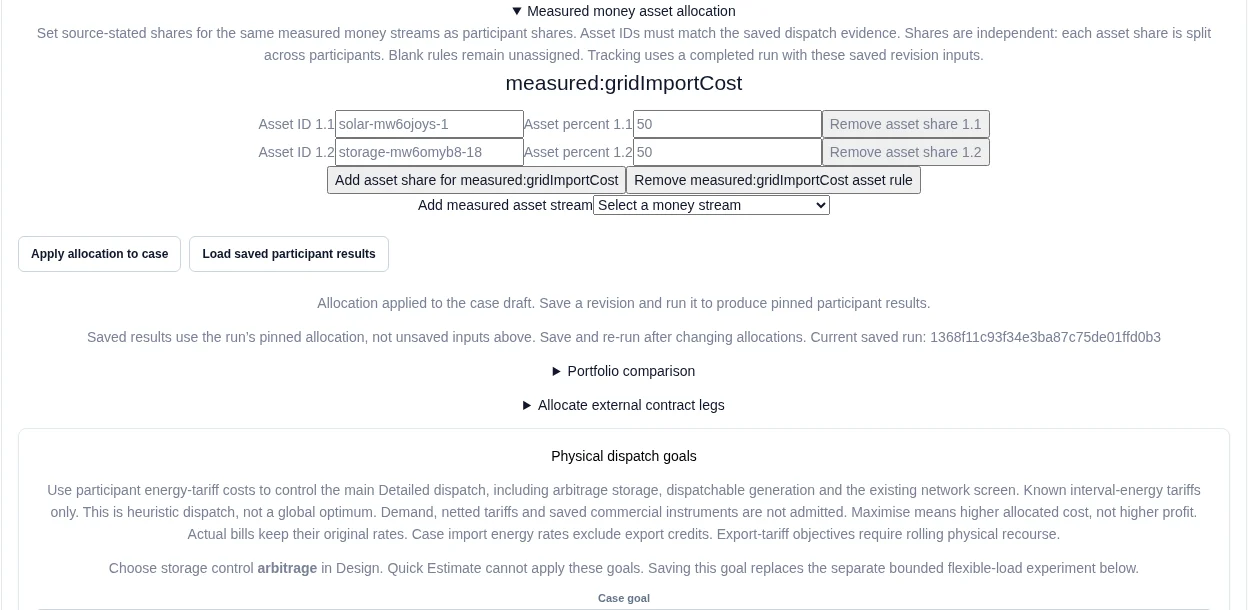
In the four-interval measured-money example, the input total is 1.50 AUD. Saved host/owner shares of 60%/40% and solar/battery shares of 50%/50% produce 0.45 AUD for each host/asset row and 0.30 AUD for each owner/asset row. The site total remains 1.50 AUD. These are authored example observations.
Each asset share is split independently across participants. Missing shares stay unassigned. Asset ownership and energy shares do not imply measured-money shares. Calendar-year rows cover only the compared intervals.


